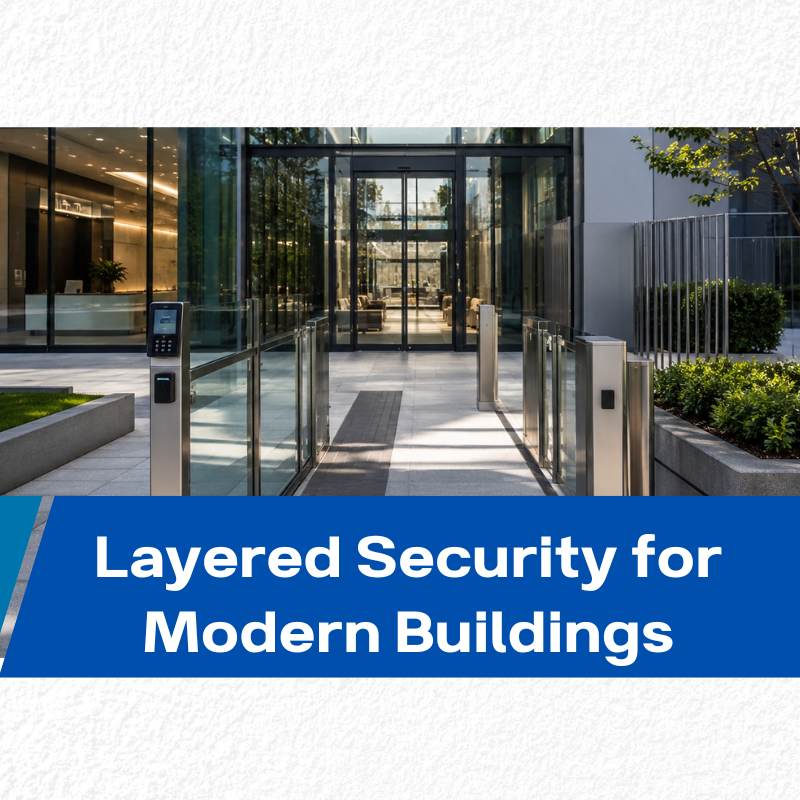
Public buildings are not used in the same way across every area. A retail storefront operates differently than a stockroom. A coworking office has different security needs than a finance office or server room.
Because of this, modern building security cannot rely on one universal access strategy. Different areas require different levels of protection, different permissions, and different locking methods.
A layered security approach helps organizations improve safety, reduce operational risks, and manage access more efficiently across the entire building.
Why One Protection Level Does Not Work for Every Area
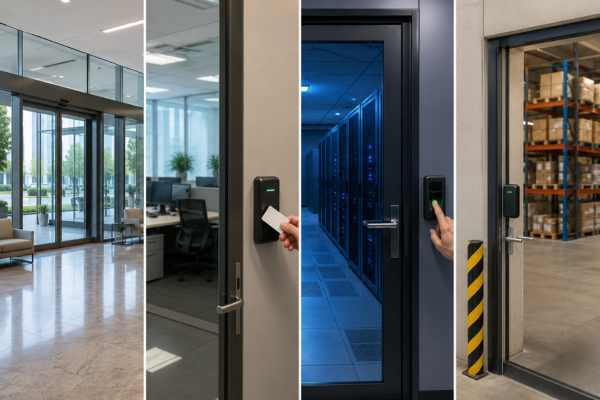
Every building contains areas with different traffic patterns, operational needs, and security priorities. A public entrance may need fast access and smooth visitor flow, while a restricted room may require monitored entry and stronger authentication.
Applying the same protection level everywhere often creates inefficiencies. Over-securing low-risk areas slows operations, while under-protecting sensitive spaces increases security exposure.
A more effective approach starts by understanding how each part of the building is used.
Main Entrances and Public Areas
Main entrances typically experience the highest amount of daily traffic. Employees, customers, delivery drivers, contractors, and visitors may all use the same entry point.
These areas usually require:
- Fast and efficient entry
- Basic credential verification
- Smooth traffic flow
- Integration with automatic door systems
Many commercial buildings use mobile credentials, access cards, or visitor systems to balance convenience with controlled access.
Staff-Only Work Areas
Staff offices, break rooms, and internal workspaces require controlled access to separate employees from public movement while maintaining efficiency.
Common solutions include:
- Key cards
- Key fobs
- Mobile credentials
- Scheduled permissions
This allows businesses to maintain operational flow while restricting access where necessary.
Sensitive Rooms and Restricted Spaces
Some areas contain confidential data, valuable equipment, or operational infrastructure that requires stronger protection.
Examples include:
- Server rooms
- Finance offices
- Inventory storage
- IT equipment rooms
These spaces often require:
- Dual authentication
- PIN plus credential verification
- Biometric access
- Audit logs
- Real-time monitoring
Access is typically limited to specific roles or authorized personnel only.
Storage Rooms and High-Value Areas
Certain rooms require additional monitoring due to asset value or operational sensitivity.
In these spaces, organizations often track:
- Who entered the room
- When access occurred
- Duration of access
- Authorization status
This improves accountability and reduces internal security risks.
Emergency Exits and Fire Doors
Emergency exits must support safe evacuation while preventing unauthorized entry during normal operation.
Many buildings use fail-safe locking systems that remain secure during normal operation but automatically unlock during fire or emergency events.
This ensures compliance with safety regulations while maintaining controlled building access.
Effective security begins with matching the correct level of protection to the operational risk of each area.
Different Areas Need Different Access Rules
Modern building access solutions allow businesses to define access rules based on roles, schedules, and operational needs instead of physical keys alone.
This improves both security control and operational efficiency.
Public Access Areas
Public-facing areas prioritize accessibility and visitor flow.
Examples include:
- Reception areas
- Waiting rooms
- Shared lobbies
- Cafeterias
- Visitor restrooms
These spaces may remain open during operating hours or follow scheduled access rules.
Employee Access Areas
Employee-only zones restrict public movement while maintaining efficient internal operations.
Common systems include:
- RFID cards
- Mobile credentials
- Key fobs
- Time-based permissions
Mobile credentials also reduce operational costs by eliminating physical key management.
High-Security Areas
High-risk areas require stronger authentication and tighter access control.
These areas may use:
- Biometric verification
- Dual-factor authentication
- Restricted key systems
- Real-time audit tracking
Temporary Visitor Access
Modern systems support temporary access for contractors, vendors, and delivery personnel.
Common methods include:
- Time-limited mobile credentials
- Temporary PIN codes
- Restricted visitor passes
This allows controlled access without exposing the entire building.
But Permissions Alone Do Not Secure a Door
Access permissions define who can enter, but physical hardware determines whether entry is actually secure.
Even with a digital system in place, the door still depends on locking hardware to resist forced entry, tampering, and unauthorized access.
Software defines permissions. Hardware enforces them.
Why Door Hardware Still Matters
Modern access systems combine digital control with physical locking mechanisms. Once a credential is verified, the system triggers the lock to either grant or deny entry.
That final step depends entirely on hardware reliability.
In commercial environments, doors operate continuously throughout the day. Weak hardware can increase maintenance costs, reduce service life, and create security gaps.
Public buildings, retail stores, coworking spaces, and offices may experience hundreds or thousands of daily door cycles.
Different Areas Need Different Locking Methods
| Building Area | Recommended Locking Approach |
|---|---|
| Standard office areas | Electronic locks with access cards or mobile credentials |
| Server rooms | Dual-authentication locks with audit tracking |
| Finance or pharmaceutical storage | High-security locking systems with monitored logs |
| Emergency exits | Fail-safe locking integrated with fire systems |
| External perimeter doors | Reinforced cylinders with anti-drill and anti-pick protection |
A layered approach ensures stronger protection where it is truly needed.
Commercial Buildings Need Stronger Lock Protection
Lock cylinders remain a critical component of physical security systems. Whether integrated with electronic access or used mechanically, they must resist physical manipulation and forced entry.
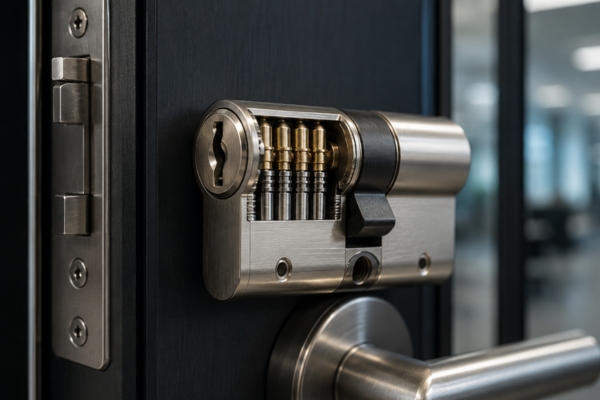
Commercial environments require lock cylinders designed for:
- High-cycle daily operation
- Long-term durability
- Controlled key duplication
- Resistance to drilling and picking
- Compatibility with access systems
Many organizations also use master key systems to simplify multi-zone access management.
Reliable locking hardware forms the foundation of layered building security.
EOS SECURE manufactures precision-engineered mechanical and electronic lock cylinders for commercial buildings, public facilities, and high-security environments. With more than a decade of manufacturing experience, our production operates under ISO9001 and ISO14001 standards and supports EN1303 and SKG-certified performance. Using advanced CNC machining, EOS SECURE delivers durable lock cylinders designed for continuous commercial operation, anti-drill protection, restricted key control, and integration with modern access systems. Explore EOS SECURE solutions to strengthen your building security.